



When running Sage 100 2018 concurrently with a previous version, reports will return the following error:
Error: 200
Program: SY_ReportCommon.pvc
Line: 627
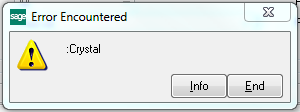
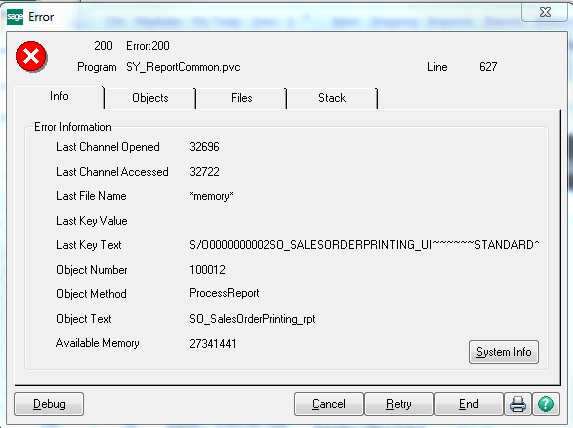
Luckily, this is a known issue and Sage has provided a simple solution.
This should resolve the “Error 200 SY_ReportCommon.pvc” error and get your Crystal Reports back to working normally.
Still having trouble? Contact one of our support specialists today and we’ll be happy to lend a helping hand.

Solutions by Industry
What's New

Where Does Your Team Lose Time Without Realizing It?
Read MoreSubmitted by Courtney Quinn on Fri, 10/09/26 - 11:33

What Should Be Part of Your 2027 Technology Plan?
Read MoreSubmitted by Courtney Quinn on Fri, 09/25/26 - 10:39
What Today’s Distributors Are Being Asked to Manage
Read MoreSubmitted by Courtney Quinn on Thu, 09/17/26 - 13:38
Whatever Your ERP Needs, We Have the Solution!
Or call us for a free consultation 866-379-3799